
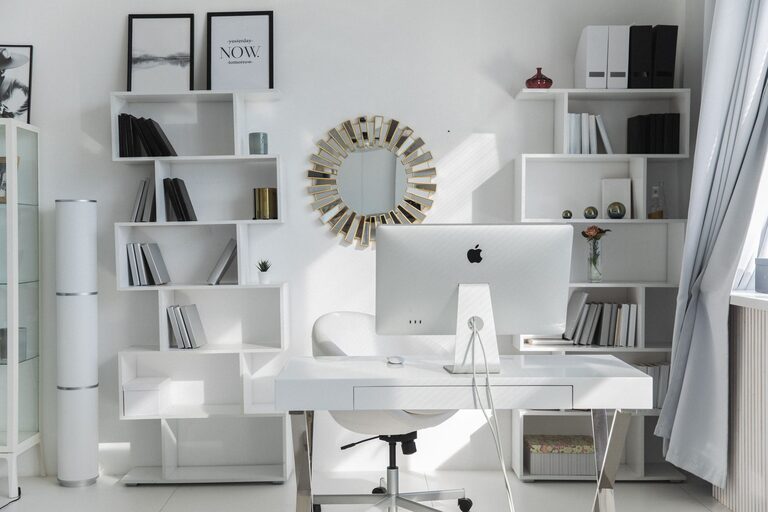
Creating an efficient and comfortable home office can greatly impact your productivity and overall work experience. Whether you work remotely full-time, freelance occasionally, or simply need a dedicated space for managing personal tasks, organizing your workspace is key. Here, we’ll explore simple strategies to help you design a home office that supports focus, efficiency, and well-being.
Why Organizing Your Home Office Matters
A cluttered or poorly arranged workspace often leads to distractions, stress, and reduced motivation. When your home office is organized, everything you need is easily accessible, your mind stays clearer, and you can enjoy a comfortable environment that encourages longer periods of focused work.
—
Step 1: Assess Your Space and Needs
Before diving into organizing, take stock of your current home office setup:
– Space Size: Measure your room or designated corner to understand the limits.
– Work Requirements: What tools or equipment do you use daily? Computers, printers, notebooks?
– Storage Needs: Do you have a lot of supplies, files, or electronics that require organizing?
– Comfort Factors: Consider lighting, seating, and temperature control.
Knowing these details will help you make informed decisions about furniture and layout.
—
Step 2: Choose the Right Desk and Chair
Investing in quality furniture forms the foundation for comfort and productivity.
Selecting a Desk
– Size and Shape: Ensure enough surface area for your equipment plus space to work.
– Storage Options: Desks with drawers or shelves can reduce clutter by keeping items tucked away.
– Ergonomics: Choose a desk height that supports good posture.
Finding a Comfortable Chair
– Adjustable Features: Height, armrests, and lumbar support make a big difference.
– Breathable Material: Fabric or mesh chairs tend to be more comfortable for long periods.
– Mobility: A swivel chair with smooth wheels can help you move easily.
Ergonomics are crucial to avoid discomfort and injuries during extended work hours.
—
Step 3: Declutter and Organize Supplies
A tidy workspace reduces mental stress and boosts efficiency.
Decluttering Tips
– Sort and Purge: Remove items you no longer need or use.
– Sort Documents: Organize papers into categories and digitize when possible.
– Limit Desk Items: Keep only essentials within arm’s reach.
Organizing Tools
– Drawer Organizers: Use trays or dividers to keep small items like pens, clips, and sticky notes orderly.
– Labeling: Clearly label files, drawers, and storage boxes for easy identification.
– Vertical Storage: Utilize wall shelves or pegboards to keep supplies off the desk surface.
By regularly maintaining this system, your workspace will stay orderly and inviting.
—
Step 4: Maximize Lighting and Reduce Eye Strain
Good lighting improves focus and comfort.
– Natural Light: Position your desk near a window to take advantage of daylight.
– Task Lighting: Use adjustable desk lamps for focused illumination.
– Ambient Lighting: Combine overhead lights with softer lamps to avoid harsh contrasts.
– Screen Position: Place your computer screen to avoid glare and ensure proper height to reduce neck strain.
Investing in quality lighting can reduce fatigue and improve your mood.
—
Step 5: Create Zones for Different Activities
If your space allows, designate areas for specific tasks.
– Work Zone: Your main desk area for computer work and paperwork.
– Reference Zone: Shelving or a filing cabinet for books, manuals, and documents.
– Creative Zone: A small table or space for brainstorming, sketching, or other creative activities.
– Break Zone: Even a cozy chair or a small corner for short breaks can help you recharge.
Zoning helps maintain organization and mentally separates different types of work.
—
Step 6: Incorporate Personal Touches Without Overcrowding
Adding elements that make your office pleasant can boost motivation.
– Plants: Small indoor plants improve air quality and add a calming aspect.
– Artwork or Photos: Display images that inspire you or make you feel at ease.
– Color Choices: Choose colors that promote focus such as soft blues, greens, or neutrals.
– Aromatherapy: Consider subtle scents like lavender or citrus to promote relaxation and alertness.
Be mindful not to add too many decorations, which can become distractions.
—
Step 7: Maintain Your Organized Workspace
An organized office requires ongoing effort.
– Daily Clean-Up: Spend 5 minutes at the end of each day tidying your desk.
– Weekly Review: Reassess supplies, file papers, and clean surfaces.
– Digital Organization: Regularly organize your files and emails to match your physical system.
By building habits around maintenance, your home office will remain a productive zone.
—
Final Thoughts
Organizing your home office doesn’t have to be overwhelming. By following these simple steps—assessing needs, choosing ergonomic furniture, decluttering, optimizing lighting, creating zones, and personalizing your space—you can build an environment that enhances both productivity and comfort. Remember, the key is creating a space that works well for your unique workflow while supporting your physical and mental well-being. Start small, stay consistent, and enjoy the positive impact of an organized home office!